
Structure, not chaos,
for teams that build with AI.
Bootcamp keeps your documentation, tasks, rules and AI agents in one governed workspace, from software builds to ERP operations, so work moves forward and nothing gets lost.
Documentation that stays alive
Specs, decisions and guides sit next to the work, not in a forgotten wiki.
AI-governed delivery
about 500 governed rules and quality gates across 50 rule sets keep every agent and every human on the same track.
Agents next to your ERP, not inside it
Build on the ERP's APIs instead of customising it. Agents work with the user's permissions, a human reviews every risky write-back, and everything leaves an audit trail. The agent prepares; the ERP posts.
Bring your own bots
Connect Cursor, Claude Code or your own assistant through Bootcamp's MCP server, under your team's rules.
Templates for real work
Development, migration, ERP analysis (Fit-Gap), IT management and CAD/CAM management.
See it in 7 steps.
No login, about five minutes. Spoiler: step 6 is where your own bot gets a seat at the table.
Start the demo →AI builds fast. Structure is what keeps up.
Without structure, decisions disappear, scope grows unnoticed and nobody can say what the agent actually did.
Docs nobody trusts
Specs and decisions live in a wiki that nobody updates. By the next sprint they don't match reality — and the agent has no single source of truth.
Tasks that live in chat threads
Work is agreed in Slack or email, then lost. There is no board with owners, priorities, or a clear path from idea to done.
AI output nobody can review
Agents ship fast, but without shared rules nobody can tell whether the output is safe to merge, document, or show to the business.
One workspace. Structured from day one.
Documentation, governed tasks, roadmap and your own bots — connected under the same rules, for software builds and ERP operations alike.
Documentation
Feature specs with acceptance criteria, decision records (ADRs), guides and a What's new log, browsable in the portal by anyone. Updated as part of every change.
AI-governed task management
Task Center board (Backlog → Elaborating → Spec review → Accepted → In progress → Review → Closed), each card with priority, owner and linked spec. Nothing gets built before a human accepts it; the agent builds, tests and documents, and the merge stays with you.
Roadmap & governance
Roadmap that reflects what is actually being built, rules pushed to every project, compliance checks.
Bring your own bots
Bootcamp's MCP server: connect Cursor, Claude Code, VS Code or your own assistant; it signs in as you (or uses a personal key you can switch off), reads docs, updates task cards, comments and writes specs and decision records under the same rules.
Payment Integration
Stripe-based checkout and webhook handling for subscription billing.
Last updated 2 hours ago · Spec phase 2
Acceptance criteria- ✓ Checkout session creates successfully
- ✓ Payment confirmation email sent
- ✓ Subscription stored in database
- ✓ Failed payment retried automatically
- ⌛ Webhook endpoint handles all event types
- ⌛ Refund flow tested end-to-end
Documentation that stays alive.
Bootcamp's documentation isn't written once and forgotten. Every feature spec, decision, and roadmap is a living document — updated as part of every change, visible to your whole team in the portal.
- Feature specs with acceptance criteria— product and management can see exactly what “done” means for every feature.
- Browsable in the portal— no code editor needed. Every document is readable in the web interface by anyone on your team.
- Updated with every change— Bootcamp enforces documentation as part of the workflow. Docs cannot fall behind.
- Traceable decisions— every architectural choice is recorded with context and rationale. No more “why did we do this?”
Your assistant, our rulebook.
Connect any MCP-capable assistant to your Bootcamp project. It sees the same docs and tasks as your team, and it plays by the same rules.
- Signs in as you, or with a personal key you can revoke
- Reads specs, guides and decision records
- Creates and updates task cards, adds comments
- Writes specs and ADRs that land in the project docs
- Never starts a build on its own
✓ Fit-Gap analysis
✓ Make / buy / customise decision (ADR)
✓ Side-by-side API readiness
⌛ Agent write-back: waiting for human review
Agents next to your ERP, not inside it.
Build on the ERP's APIs instead of customising it. Agents work with the user's permissions, a human reviews every risky write-back, and everything leaves an audit trail. The agent prepares; the ERP posts.
- ERP analysis template with Fit-Gap
- Make / buy / customise decisions recorded as ADRs
- Side-by-side API readiness checklist
- Follow-up rule for ERP projects
Talk to your project. No IDE required.
Any team member can interact with their project through Bootcamp's chat — ask questions, request updates, kick off tasks, or review what's happening right now. No command line, no code.
- Ask in plain language— “What's the status of the login feature?” or “Generate a management summary for this sprint.”
- Trigger tasks from chat— create a task, draft a spec or a clickable HTML mockup, ask for a management summary.
- Get readable outputs— management summaries, roadmap updates, and feature specs delivered directly in the conversation.
- Search across the project— find any decision, spec, or document without knowing where to look.
What changes when you use Bootcamp.
See how structured AI development shifts outcomes across your whole team.
| Area | Without Bootcamp | With Bootcamp |
|---|---|---|
| Management visibility | Updates only when asked — and often incomplete | Live delivery status, lifecycle stage, and cost tracking at all times |
| Scope control | Features grow mid-sprint without anyone noticing | Every feature requires a spec with acceptance criteria before work starts |
| AI development quality | Fast but unpredictable — needs heavy human review | Agents follow the same rules and quality gates as people |
| Your bots | Copy-paste between chat and the backlog | Connected through MCP, working on the same tasks and docs |
| Documentation | Written once, outdated within weeks, trusted by nobody | Updated with every change — always reflects the current state |
| Decision traceability | Verbal, forgotten after the meeting — no record | Every decision is documented, searchable, and audit-ready |
| Delivery confidence | Hope-driven deadlines with no structured milestones | Incremental delivery with go/no-go criteria and team sign-off |
See what your team sees.
The Bootcamp portal gives every role their own view — chat, live docs, roadmap, cost tracking, and code preview — all from a browser. No IDE needed.

Project Chat
Ask questions, request summaries, or kick off tasks in plain language — no technical knowledge required.
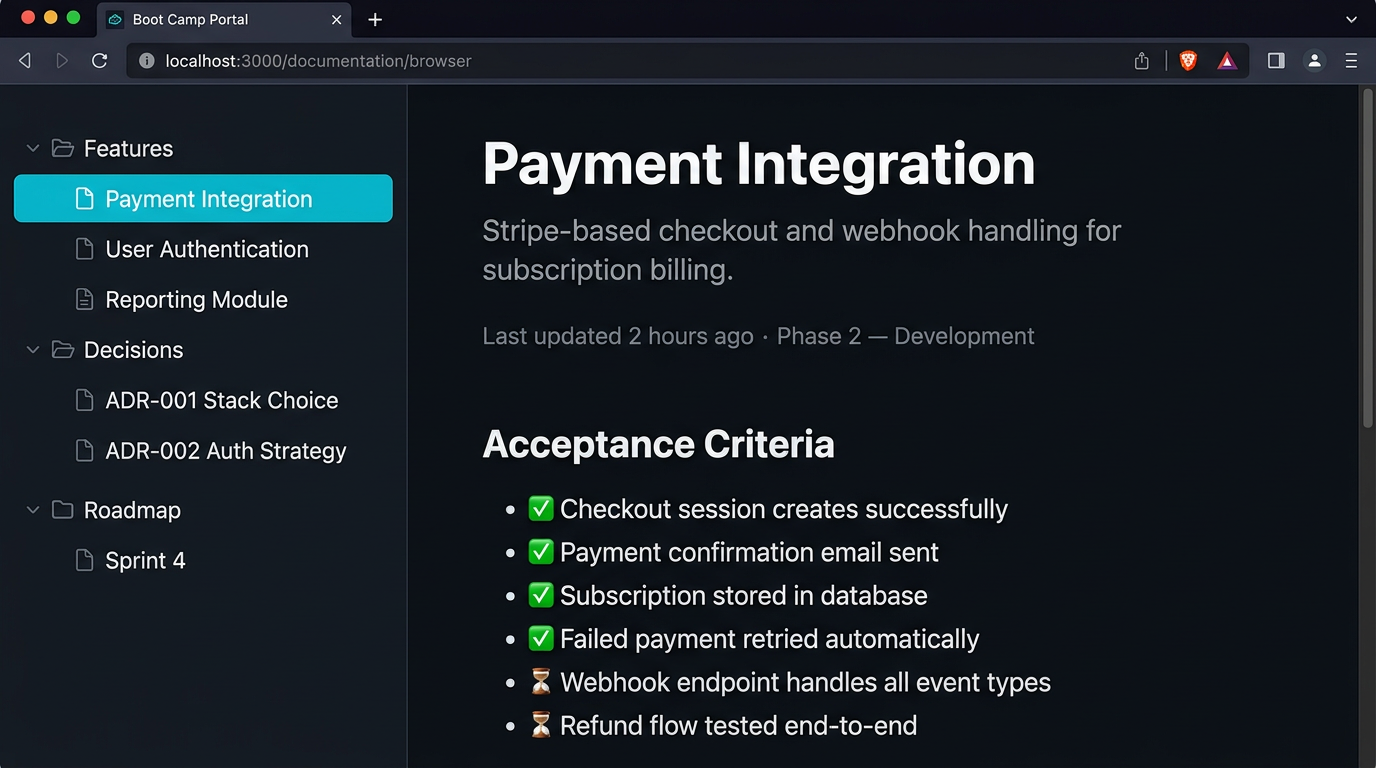
Live Documentation
Browse feature specs, decisions, and roadmaps directly in the portal — always up to date with the codebase.

Roadmap & Progress
Management and product see exactly which lifecycle stage the project is in, what's done, and what's next — in real time.

Enforced Standards
About 500 governed rules and quality gates across 50 rule setscover quality, testing and process — applied automatically to every project and every AI agent.
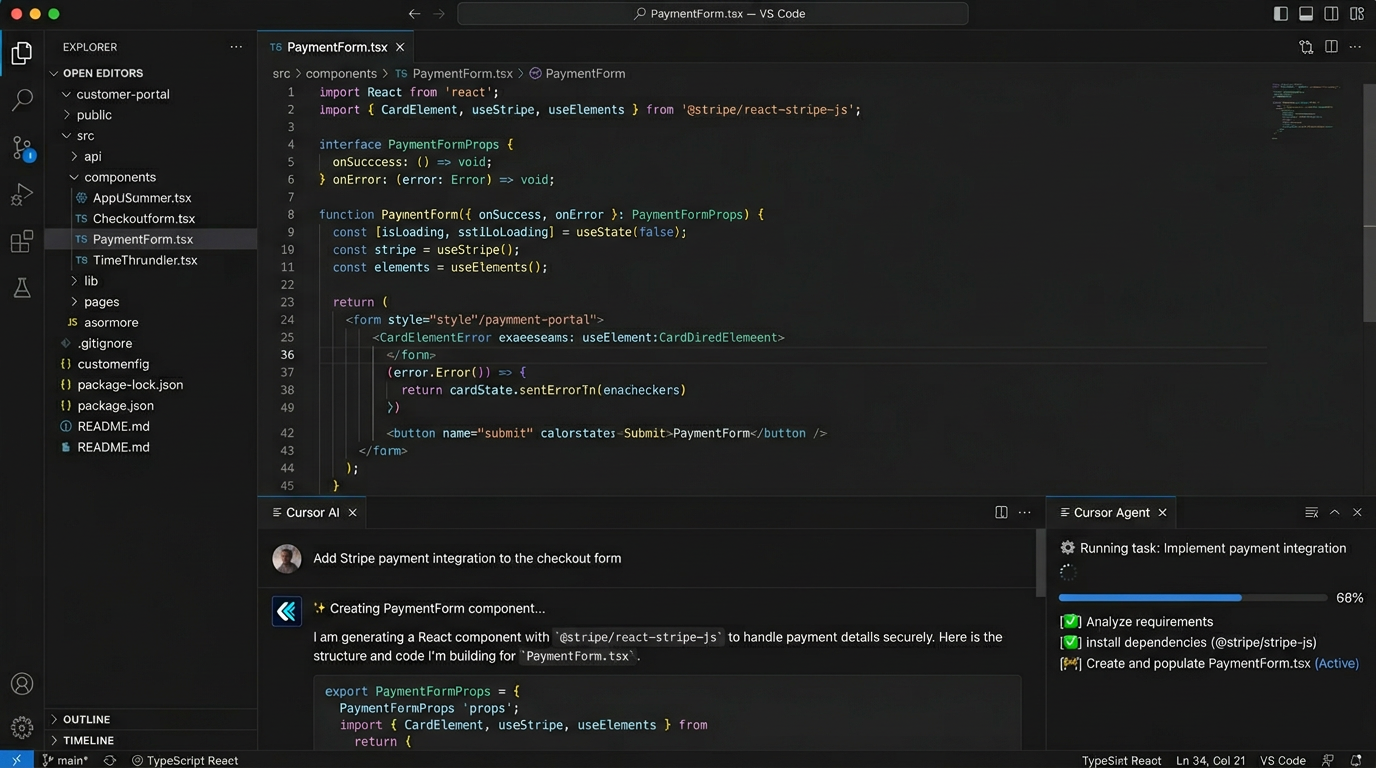
Developer & AI View
Developers and AI agents work from the same specs and standards — in Cursor or any IDE — producing predictable output.

Cost Estimation
Track human and AI effort per project — shown as hours, not tokens. A language your team actually understands.
Templates for real work — not just code.
Pick the kind of work you're running. Structure, documents and rules are ready on day one.
Software development
Web apps, APIs, desktop, multi-stack repos.
- Next.js Full-Stack
- ASP.NET Web App (optionally with React front end = full-stack)
- Desktop App
- Unity Game Project
Migration & modernisation
Legacy to modern stacks, incremental cut-overs.
- Desktop migration (WPF / WinForms / VB.NET) to a modern stack
- Other legacy .NET migration
Target stacks: Next.js · Full-stack (ASP.NET + React) · ASP.NET (Microsoft stack)
ERP analysis (Fit-Gap)
Fit-Gap, make/buy/customise, API readiness, agentic add-ons next to the ERP.
- Fit-Gap / ERP analysis
- Solution Architecture
IT management
Discovery, runbooks, compliance gap analysis.
- IT Infrastructure
- Technical Integration
- Customer Implementation
CAD/CAM management
AutoCAD, Inventor, TopSolid and Blender workspaces with Check out / Check in on shared engineering files.
- AutoCAD
- Inventor
- TopSolid
- Blender
Bring structure to your next AI project.
One plan. €25 per user per month, minimum 3 users. Start with a template, connect your own bots, keep every decision.